
Download Hyrable – AI‑Powered Hiring Automation Tool
Overview
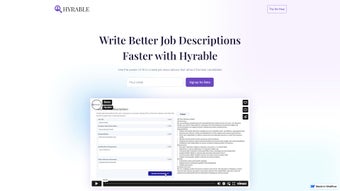
Hyrable is a cloud‑native, AI‑driven SaaS platform that reshapes how modern HR teams attract, evaluate, and hire talent. In a competitive labor market, recruiters often spend countless hours drafting job descriptions, polishing interview questions, and juggling multiple posting sites. Hyrable tackles these pain points by delivering a single, secure workspace where users can generate SEO‑friendly job ads in seconds, receive instant readability and inclusivity feedback, and automate routine outreach tasks that traditionally consume valuable time.
Powered by advanced natural‑language processing, the tool not only writes clear, compelling copy but also benchmarks it against industry standards, ensuring each posting ranks higher on job boards and resonates with diverse candidate pools. As the product roadmap expands, upcoming modules will enable personalized candidate messaging, AI‑crafted interview question banks, and deeper analytics that tie hiring outcomes to business KPIs. Hyrable offers three flexible pricing tiers—LITE, BASIC, and PRO—catering to startups, mid‑size companies, and enterprise‑level organizations alike.
Each tier provides a different level of cloud storage, collaboration capacity, and access to premium AI features. Whether you’re a solo recruiter looking for rapid draft generation or a large talent acquisition team seeking end‑to‑end automation, Hyrable positions itself as the go‑to hiring companion. Its emphasis on data‑driven insights, continuous model updates, and rigorous security controls makes it a future‑proof solution that adapts as hiring strategies evolve.
Key Features, Pros, Cons, and Frequently Asked Questions
Core Feature Set
- AI‑Generated Job Descriptions: Input a role name and key responsibilities; the engine produces a polished, SEO‑optimized posting in seconds.
- Real‑Time Feedback Loop: Instant suggestions improve readability, inclusivity, and keyword density, boosting visibility on major boards.
- Interview Question Generator: Creates competency‑based questions aligned with the generated description, saving interview prep time.
- One‑Click Job Board Publishing: Seamlessly push drafts to LinkedIn, Indeed, Glassdoor, and niche industry portals.
- Collaboration Hub: Multi‑user editing, comment threads, and role‑based approvals keep teams aligned.
- Analytics Dashboard: Tracks click‑through rates, time‑to‑fill, and source performance without a separate BI tool.
- Secure Data Handling: End‑to‑end encryption, GDPR/CCPA compliance, and ISO‑27001‑certified data centers protect candidate information.
- Version Control & Cloud Storage: Every draft is saved, versioned, and retrievable across pricing tiers.
- Continuous AI Model Updates: Monthly refinements ensure language stays current with market trends.
- Optional Desktop Wrappers: Electron‑based clients for Windows, macOS, and Linux deliver native‑like performance.
Pros
- AI‑driven content creation cuts drafting time by up to 80 %.
- Real‑time feedback improves inclusivity and SEO performance.
- Seamless integration with leading job boards and ATS platforms.
- Scalable cloud storage aligns with team size and pricing tier.
- End‑to‑end encryption and GDPR compliance safeguard sensitive data.
- Collaboration tools enable multi‑user editing and streamlined approvals.
- Analytics dashboard provides actionable hiring metrics without extra software.
Cons
- Full functionality requires a stable internet connection; offline mode is limited to the desktop wrapper.
- Advanced AI modules (personalized messaging, interview‑question generation) are reserved for higher‑tier plans.
- Initial learning curve for teams unfamiliar with AI‑assisted writing.
- Fine‑tuning AI tone for niche industries may need additional iteration.
Frequently Asked Questions
Is Hyrable suitable for small startups?
Yes. The LITE tier provides essential AI drafting and basic collaboration at a low monthly cost, making it perfect for startups that need to post jobs quickly without a dedicated recruiter.
Can I integrate Hyrable with my existing ATS?
Absolutely. Hyrable supports native integrations with Greenhouse, Lever, BambooHR, and many other ATS platforms via secure OAuth, ensuring data syncs automatically without duplicate entry.
How does Hyrable protect candidate privacy?
All candidate data is encrypted in transit (TLS 1.3) and at rest (AES‑256). The platform complies with GDPR, CCPA, and ISO‑27001 standards, and role‑based access controls let admins restrict who can view or edit sensitive information.
Do I need technical expertise to set up Hyrable?
No. The onboarding wizard guides you through account creation, team invitations, and integration setup in a few clicks. For advanced configurations, the support team offers live walkthroughs.
What support options are available?
All users receive 24/7 email support. BASIC and PRO subscribers also enjoy live chat, priority phone assistance, and access to a dedicated account manager for enterprise‑level service.
Overall Verdict: Hyrable blends powerful AI automation with intuitive collaboration tools, dramatically shortening hiring cycles. While a reliable internet connection and a modest learning curve are required, the platform’s security, continuous updates, and responsive support make it an excellent choice for organizations of any size.
Installation, Setup, and System Compatibility
Getting started with Hyrable is effortless thanks to its cloud‑first architecture. There is no heavy client to install; users simply create an account on the secure web portal (https://hyrable.com) and access the application through any modern browser. For teams that prefer a desktop‑like experience, optional Electron wrappers are available for Windows, macOS, and Linux, delivering native performance while staying synced with the cloud.
Step‑by‑Step Setup Guide
- Create Your Account: Visit the homepage, click “Sign Up,” select a pricing tier, and confirm your email address.
- Invite Your Team: From the dashboard, add colleagues by email and assign roles (Admin, Editor, Viewer) to control access.
- Connect Integrations: Use the “Integrations” tab to link LinkedIn Recruiter, Greenhouse, Lever, or other ATS platforms via OAuth.
- Configure Preferences: Set company tone, diversity guidelines, and keyword priorities. These preferences guide the AI’s output.
- Start Drafting: Launch the “New Job” wizard, input role details, and let Hyrable generate the first draft. Review suggestions, edit, and publish with one click.
Supported Operating Systems: Because Hyrable runs in the browser, it works on Windows 10/11, macOS Monterey and later, Chrome OS, as well as mobile platforms (iOS 13+ and Android 9+). The optional desktop clients support Windows 10/11 (64‑bit), macOS 11+ (Intel & Apple Silicon), and major Linux distributions such as Ubuntu 20.04+ and Fedora 34+. Minimum requirements are a recent browser (Chrome, Edge, Firefox, Safari) with JavaScript enabled and an internet connection of at least 2 Mbps.
Security is baked into every layer. All data in transit uses TLS 1.3 encryption, while data at rest is stored in AES‑256 encrypted volumes within ISO‑27001‑certified data centers. Enterprises can enable SSO via SAML 2.0 and, for the PRO tier, request on‑premise data residency. Once configured, users enjoy a responsive UI that adapts to any screen size, ensuring a consistent workflow whether they’re working from a desktop in the office or a tablet on the go.
Conclusion – Is Hyrable the Right Choice for Your Hiring Strategy?
In a talent market where speed, precision, and candidate experience determine success, Hyrable stands out as a forward‑thinking solution that couples AI efficiency with human‑centric design. Its ability to generate SEO‑optimized job descriptions, provide instant feedback, and integrate seamlessly with existing recruitment ecosystems frees HR professionals to focus on strategic initiatives rather than repetitive drafting tasks. Flexible pricing scales from startups to enterprise‑level operations, offering a cost‑effective entry point while promising advanced capabilities for those ready to invest in deeper automation. If you aim to reduce time‑to‑fill, improve posting quality, and gain data‑driven insights without compromising security, Hyrable is worth a test drive. Click the button below to start a free 14‑day trial and experience how AI can reshape your hiring workflow.



.png)



